1
/
of
5
gizmo tech
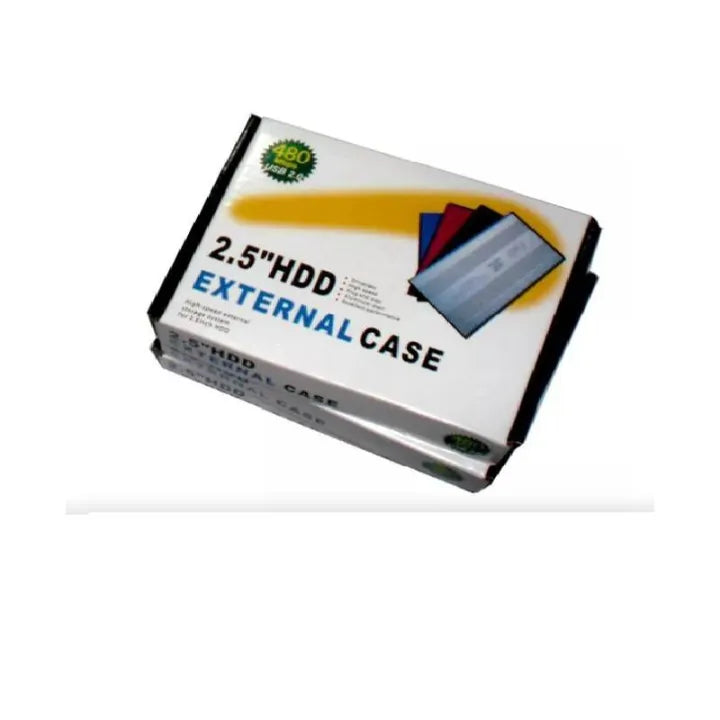
USB 2.0 External 2.5" inch SATA HDD Hard Disk Drive External Case Enclosure
USB 2.0 External 2.5" inch SATA HDD Hard Disk Drive External Case Enclosure
Regular price
R 145.00 ZAR
Regular price
Sale price
R 145.00 ZAR
Shipping calculated at checkout.
No reviews
Share
Quantity
Couldn't load pickup availability
Product details of USB 2.0 External 2.5" inch SATA HDD Hard Disk Drive External Case Enclosure
- Elegant design, easy to carry
- Type: SATA drives
- Supports drives up to 1 TB (HDD not included)
- No need for extra power, powered only by the USB data cable (included)
- The set includes:
- Box
- USB cable
- Cover locking screw
- Material: Anodized aluminum in black
- Box size: 126 x 75 x 13 mm
- HDD size: 2.5" (laptop hard drives)
- The USB 2.0 to 2.5-inch SATA Hard Drive Enclosure turns a 2.5-inch SATA hard drive (HDD) into a portable external hard drive. With connection to a computer via USB 2.0 without the need for external power. With a lightweight and portable design, this Hard Drive enclosure is made as of so it offers maximum durability and heat dissipation.
- ABSOLUTE COMPATIBILITY: You can use USB 2.0, but it will also be compatible with previous versions such as USB 2.0 and USB 1.1. All you need is to connect it to your computer and that's it (Consider that the transfer will be slower).
- OPERATING SYSTEMS: Compatible with Windows XP, Vista, 7, Windows 8, 8.1, Windows 10 (32 or 64 bits) and Windows 11, Linux 3.0 or later and Mac.
- MAXIMUM CAPACITY: Works with a SATA transfer interface with Storage capacity is up to 1TB. Which guarantees the stability of transfer and storage of your files.
- DISK SIZE: Supports 2.5 Inch disks.
- INTERACTIVE AND INTELLIGENT: It is equipped with a USB 2.0 controller that guarantees data transfer between devices at a speed of 480Mbps.
- PRACTICALITY AND SIMPLICITY: It is much thinner than many others. It does not require installation, therefore it is easy to transport it everywhere you need it.
- ELEGANT AND MODERN DESIGN: Its design is simple and elegant, without buttons, inputs and more complications.
•Option 1: Install the Paragon Program on your Mac to be able to read and write to the hard drive.
•Option 2: It is necessary to copy all the information from your hard drive to your computer to format it to SATA, then return the files to the drive. This way you can read and write about it.
(No technical support is provided for your operating system.)
-If the disk is new, it must be formatted